For me, when I’m learning a new software from scratch, seeing how it can be used for specific outputs from start to finish is really helpful. I did some exploration and revision of the material from class but this is the one that I was able to complete by following the tutorial. My patch closely follows the tutorial but I made some changes to the dimension manipulation portion and some of the patching. From this exercise I was able to get a sense of what is possible with MAX and what are some patching methods that other people use.
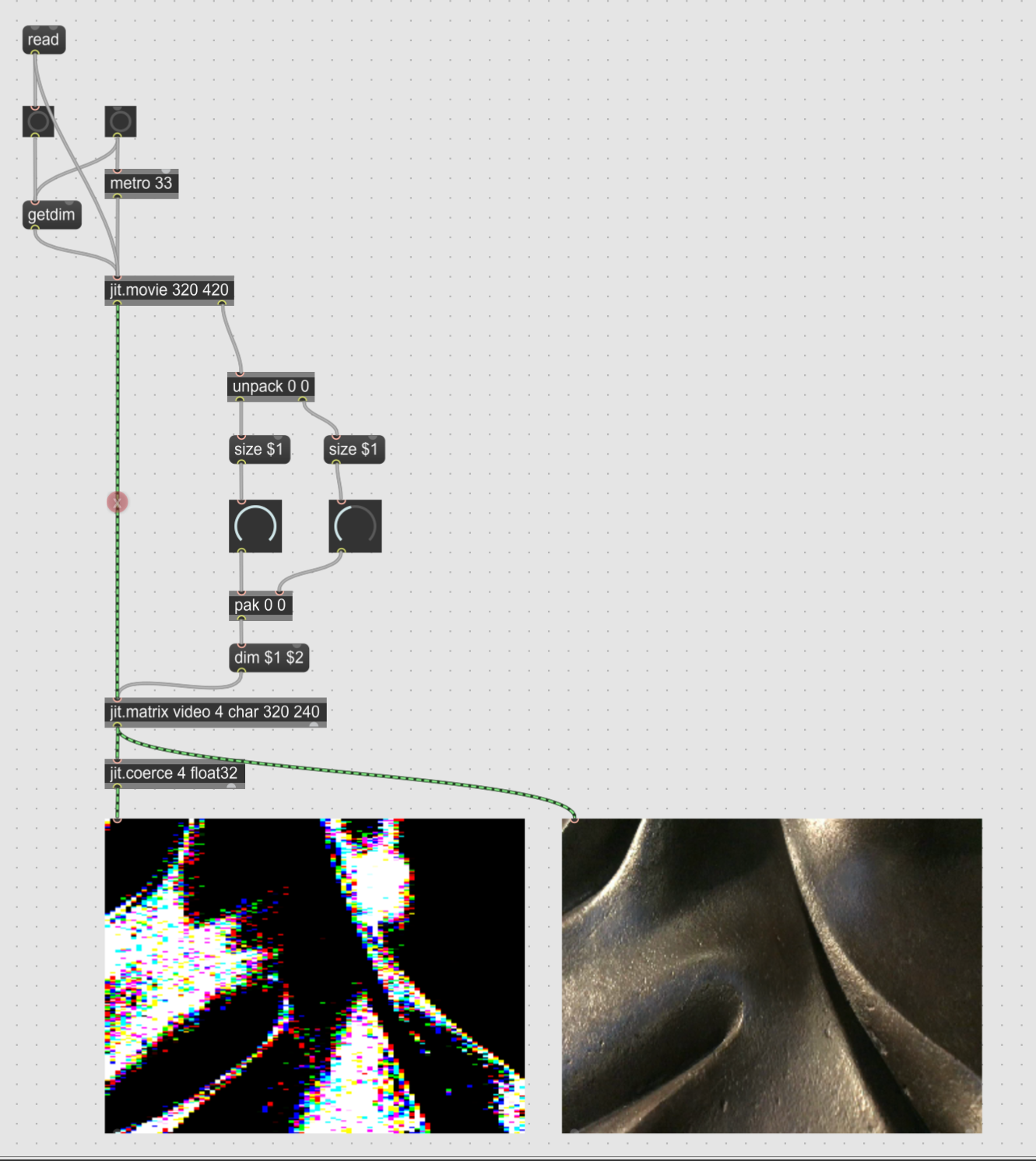
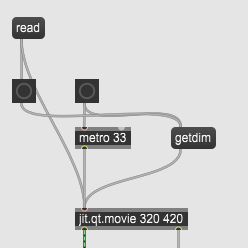
There are two bangs in this first section. One to trigger the metronome and another to get the dimension of the read video as soon as it is imported. Getdim is a command sent through the message into jit.movie.
Then it is fed into jit.movie which sets the dimensions of the video: 320 x 240. The dimension is also dumped out on the rightside outlet.
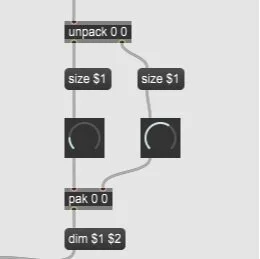
Unpack separates the two dimensions into two separate messages
Two different dials control the number of divisions in the video to play with
Pak outputs the updated values in two separate channels
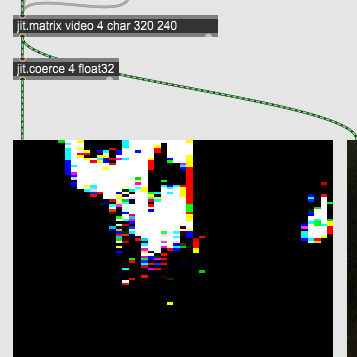
jit.matrix with footage named ‘video’ (with variable type: char and plane count 4) will collect the footage with the new divided dimensions. The char data type affects the number range, in this case : 0-255
jit.coerce with data type: float32 will coerce the matrix into different planes and datatypes. In this object, the plane count is set to 4 affecting all the planes.