[Week 13] Final Project

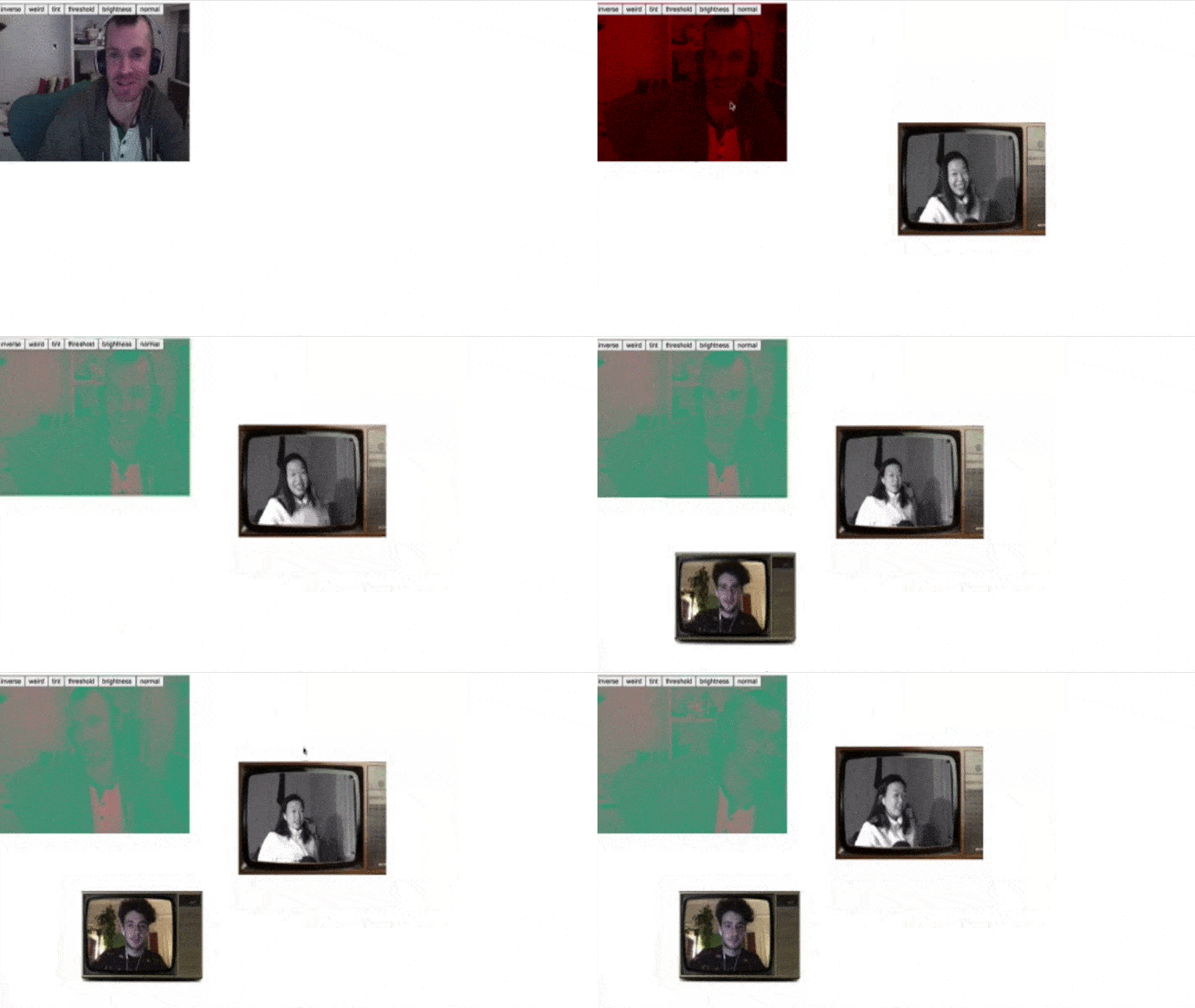
For the final project, Aditya and I managed to create a web site that mimics zoom with video/voice streams but this time with consequences.

The idea is that the longer someone talks, the bigger their video gets, physically taking up more space. This design feature is a jab at the standard and static video-conference call software we are stuck with while we wait out the pandemic. So while the scaling worked, one of the other features which was to make the voice of the person talking go higher pitch the longer they talked did not because of complications with web-audio with peer2peer object management. I will definitely try again even though it did not work in time for the presentations.

The code was adapted from my mid-term project that had the screaming portal space. The same algorithm (referenced from this) that analyzed the amplitude of each voice channel to gauge how loud people were screaming was used to gauge how long people passed the threshold to determine how long they have been talking.

1111111.gif

[Week 11] Final Project Proposal

IMG_4484.jpg

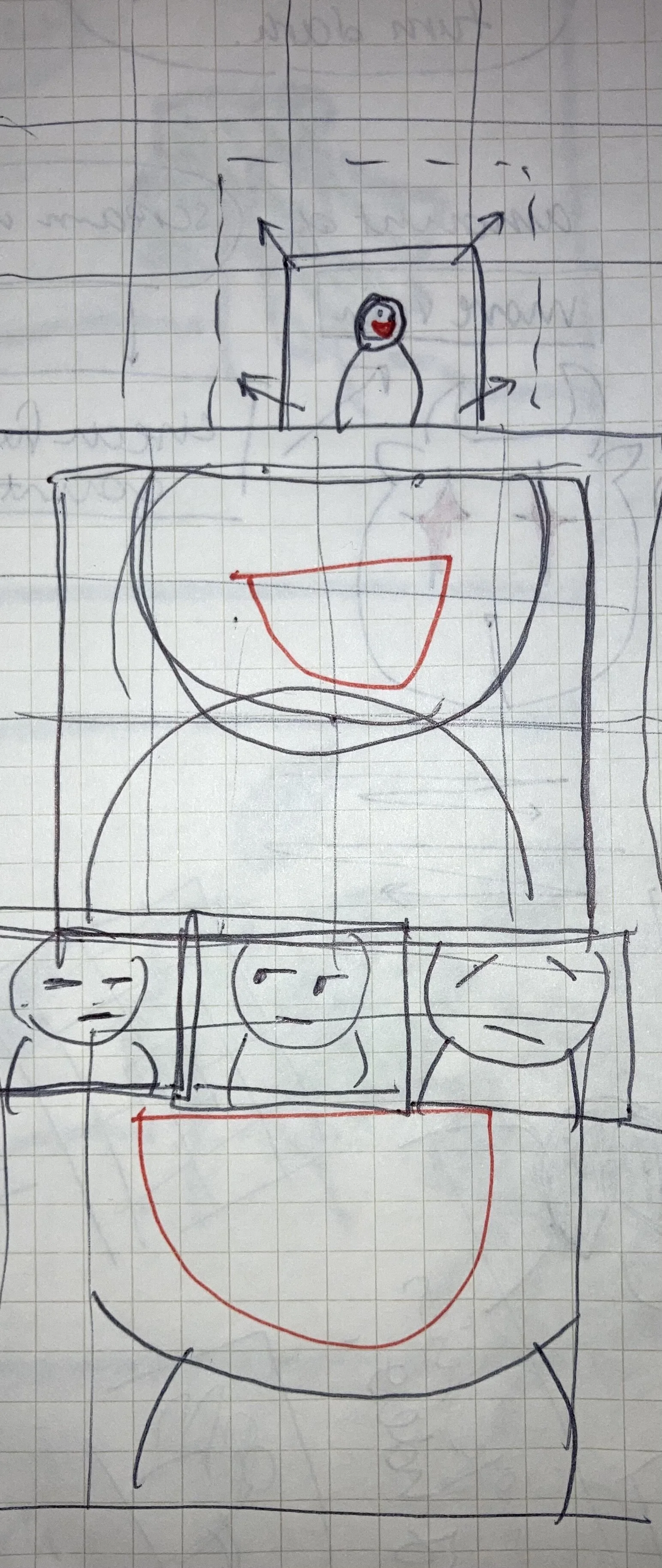
Continuing the light-hearted and trollish approach to web based interaction as a reaction to trying times, I am planning to re-create the Zoom grid view interface but with a twist. I feel that the way we interact on Zoom doesn’t go smoothly and can get very awkward. I’m thinking about amplifying that awkwardness and just make it funny.

On Zoom when a person talks their box is highlighted yellow. In this web interface, the person’s video will grow in size the longer they talk, also the video will zoom into the person’s mouth. So the longer one person continues to talk, the bigger their video will get and eventually just fill up the entire window. Also if I have time, I would like to implement “The Office” style video closeups of the other people in the zoom chat to add to the effect.

ideas from feedback:

  • squeaky voice

  • get smaller video

[Week 6] Mid - Term

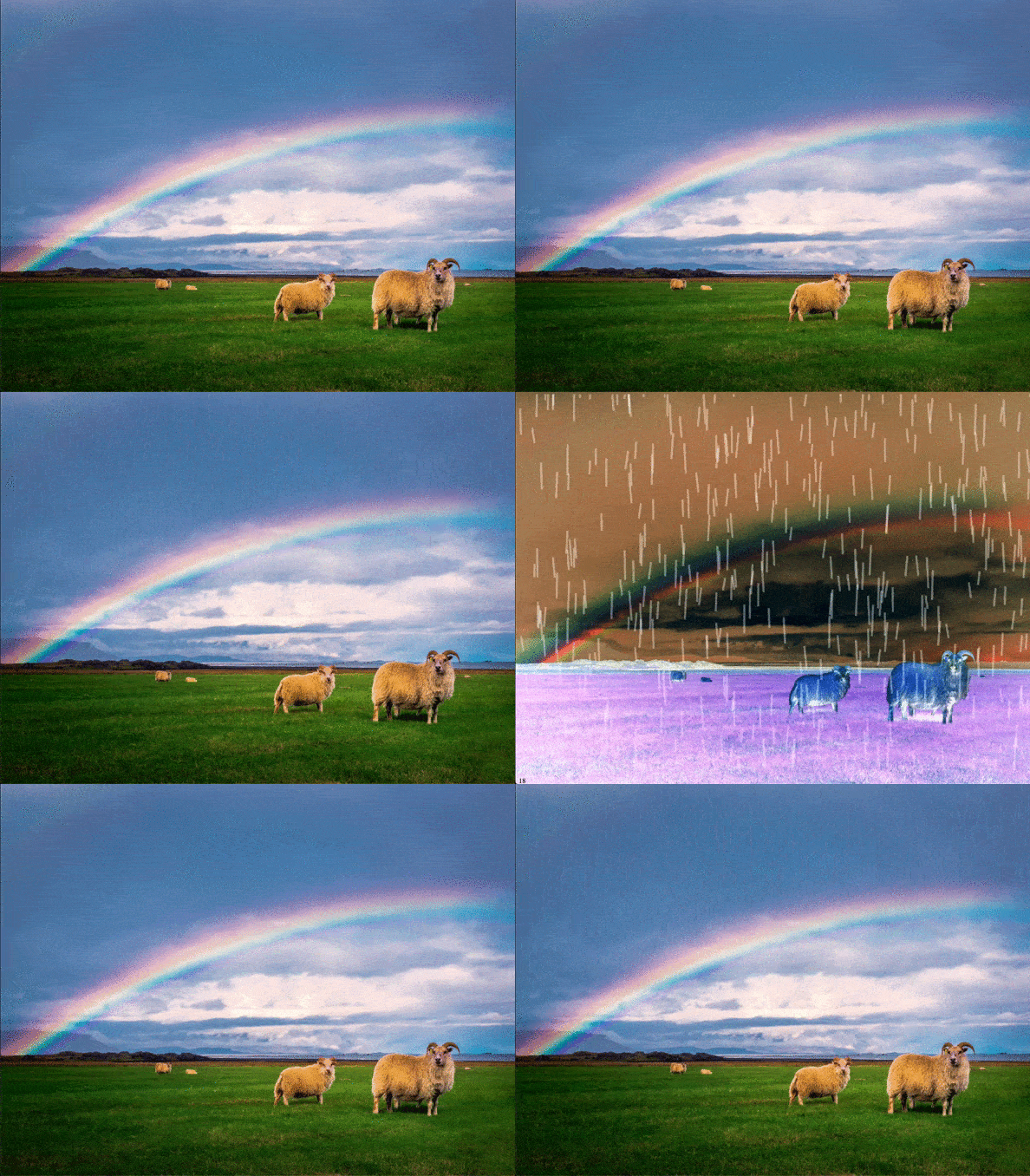
Using Peer JS and Socket.io I created a website where when enough people scream loud enough it will trigger the raining and invert animation.

Screen Recording 2020-10-20 at 11.36.32 PM.gif

For next steps I want to add more parameters to the animation like affecting the density of the rain and just more moving parts. Also, it would be interesting to play around with audio effects like delay, reverb, oscillation filters,etc depending on the user’s voice input parameters.

[Week 5] PeerJs / WebRTC + Mid-Term Project Idea

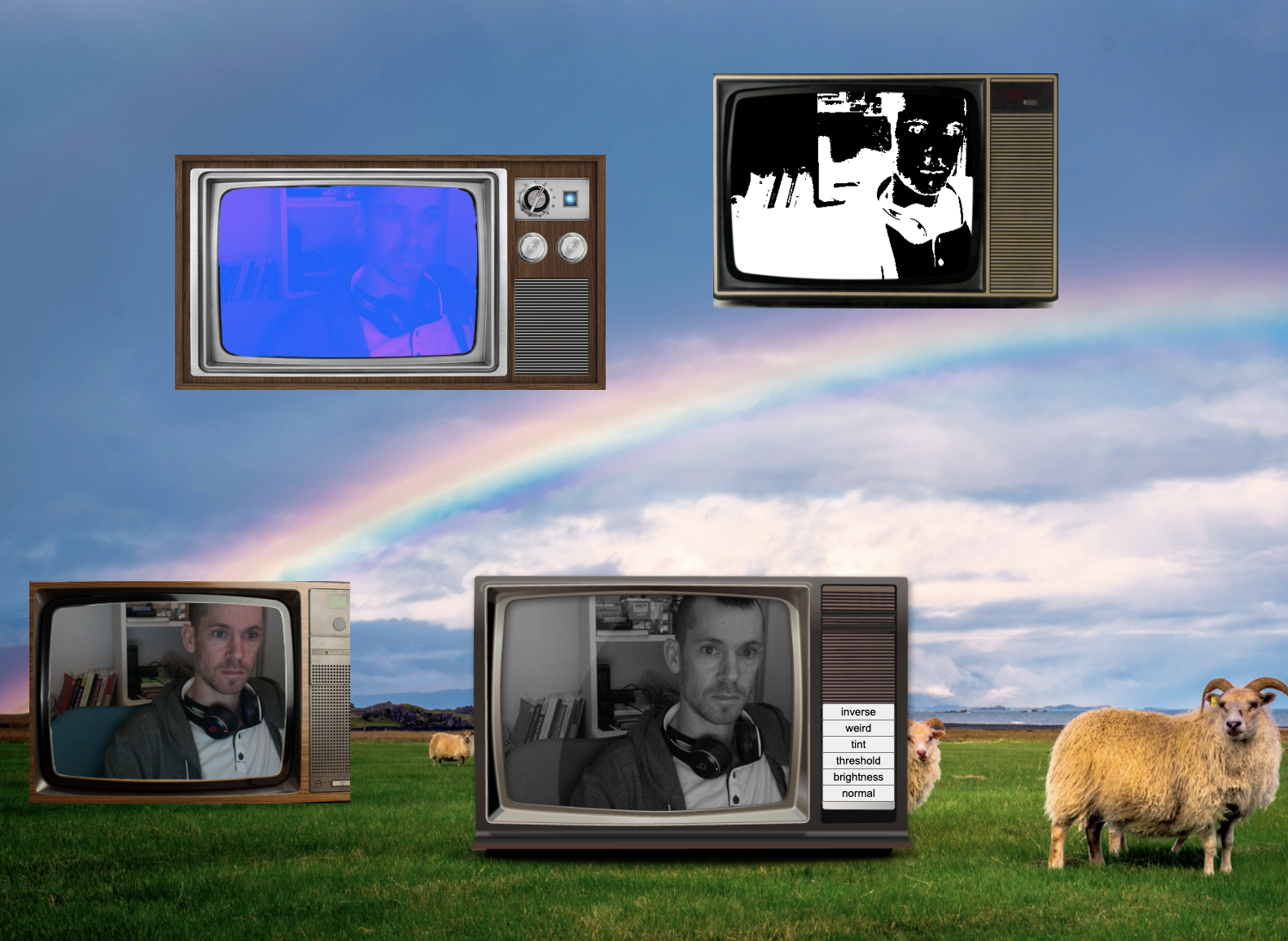
For this week, I worked with Jake to implement peer 2 peer connection via WebRTC. The idea is to have different people join in the audio and video chat via their browsers and appear inside of a TV. The TVs that pop up will appear as a random size and random location and the user can drag the TVs around. The user can also change the filters they on the video stream they send to their peers (this was already part of Jake’s code from the previous assignment).

fig 1. - Almost final version - missing some CSS decorations (final coming soon when we get to test in class)

fig 1. - Almost final version - missing some CSS decorations (final coming soon when we get to test in class)

fig.2 with CSS decor

fig.2 with CSS decor

fig 3. Console log from server.js

fig 3. Console log from server.js

It worked out pretty well except for some bugs with the peer to peer connection. When just two people try to connect, in some instances one person won’t be able to hear or see the other even though the other person can. While trying to debug, the console does print out the right peer connections between the socket.ids so we’re not really sure why this is happening. With more than 2 people however, it seems to work with no issue. In the last line of that console log from the server.js file (in fig. 3) the same ID is repeated twice. We wonder if that ID is connected to itself and therefore unable to hear or see the other person.

Another thing is that when one person leaves the connection, their video remains in the space. We have tried to remove it with: document.getElementById(data).remove(); but that does not seem to work.


Mid- Term Project Idea

Using what we learned over the past month and a half, I’m planning on using Peer JS to create a funny web experience where people can use their voice to control how much rain falls in their browser. The browser will open up to a view of an open field, and when someone starts screaming rain starts to fall with their faces in the raindroplets. The more people scream, the more dense the rainfall. This is total nonsense but I just want to make something humorous given the current times and also think it would be a good experience to understand WebRTC methods better since it’s still a bit murky for me (a lot of the peer 2 peer connection from this week’s assignment is still based on the original code from class). b

[Week 3] Socket.io

Using socket.io library, I created an interactive flower garden patch. The page is listening for mouse clicks and draws flowers based on where the clicks happened.

The images are actually supposed to be gifs but I realized canvas does not support gif playback and the gif has to be updated frame by frame. I tried to use the requestAnimationFrame() function to update the canvas but got stuck in how to use that in conjunction with socket.io and eventListeners. I also originally intended to get different flowers assigned to different users like having nicknames but with flowerID but am not sure how to get this to work in the backend with setting up users. I will try to improve this further after further look into it.

Screen Recording 2020-09-30 at 11.52.33 AM.gif

[Week 2] Chat App

Working with the base file for running a chat app with nodejs, I modified the .html and .js to create a chat interface that randomly populates the screen with the messages.

demo.gif

[Week 1] Interactive Self-Portrait

Here is the link to my self portrait and this is the code.

screenshot.PNG

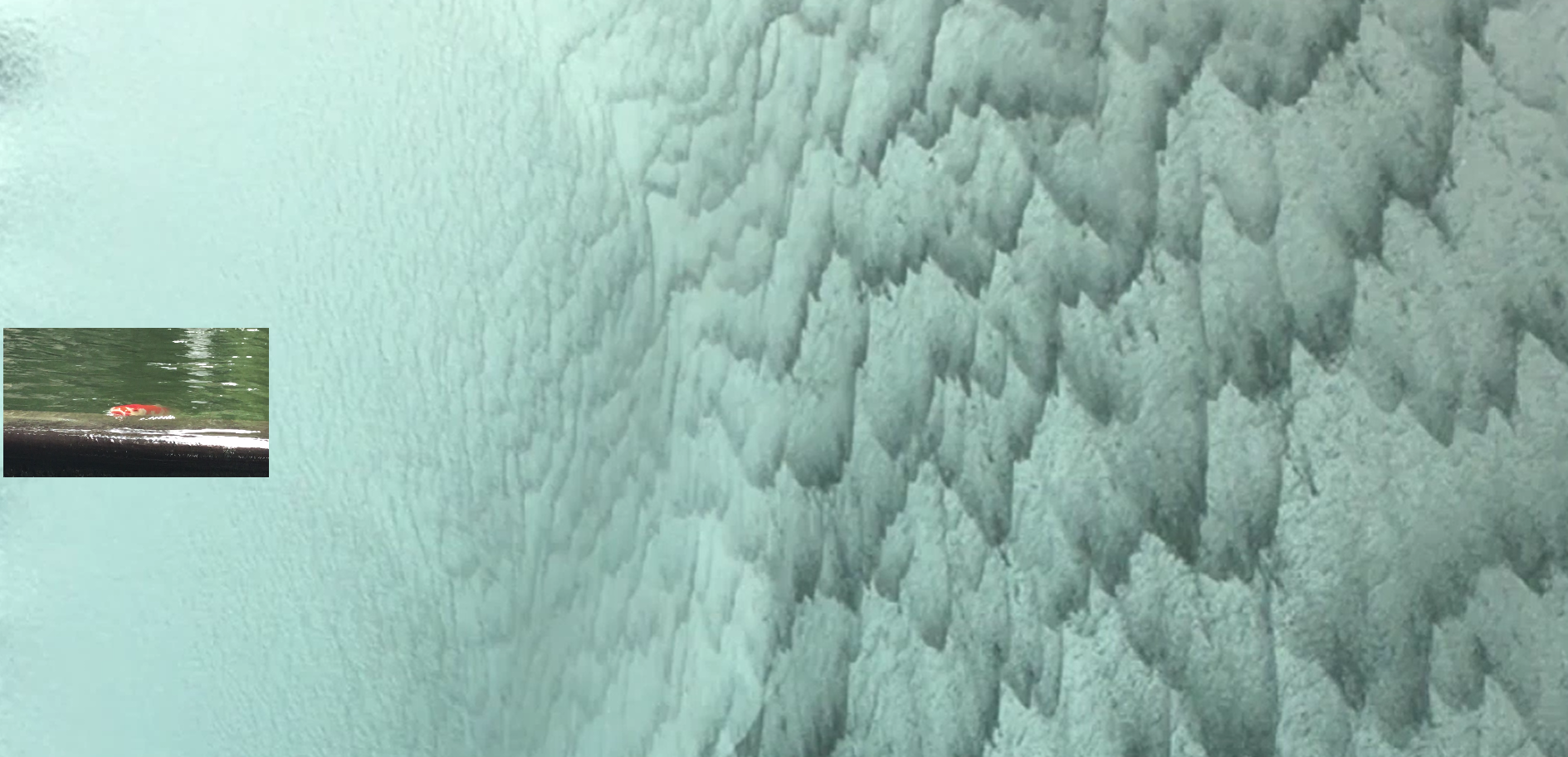
To interact: click the fish video then move the mouse left and right to control the speed of the waterfall.

This is a reflection on how the year 2020 has been going so far. I feel that it’s just been a relentless cascade of so many things which at times felt very fast and other times slow (hence the playback control). I am the fish that is just staying still while gaping its mouth open trying to catch a breath (except this fish is trying to get food).

The piece turned out simpler than I wanted because I had a lot more ideas but got stuck with the technical execution. I am not really familiar with working with DOM elements so I had a lot of trip-ups trying to figure out which parts should go in html, css or js. My overall intention also included making the fish video move around but could not get it to work with canvas and also tried to allow the user to click around to create more fish video instances. I think I have to take a step back and build up the foundations first to continue this project.


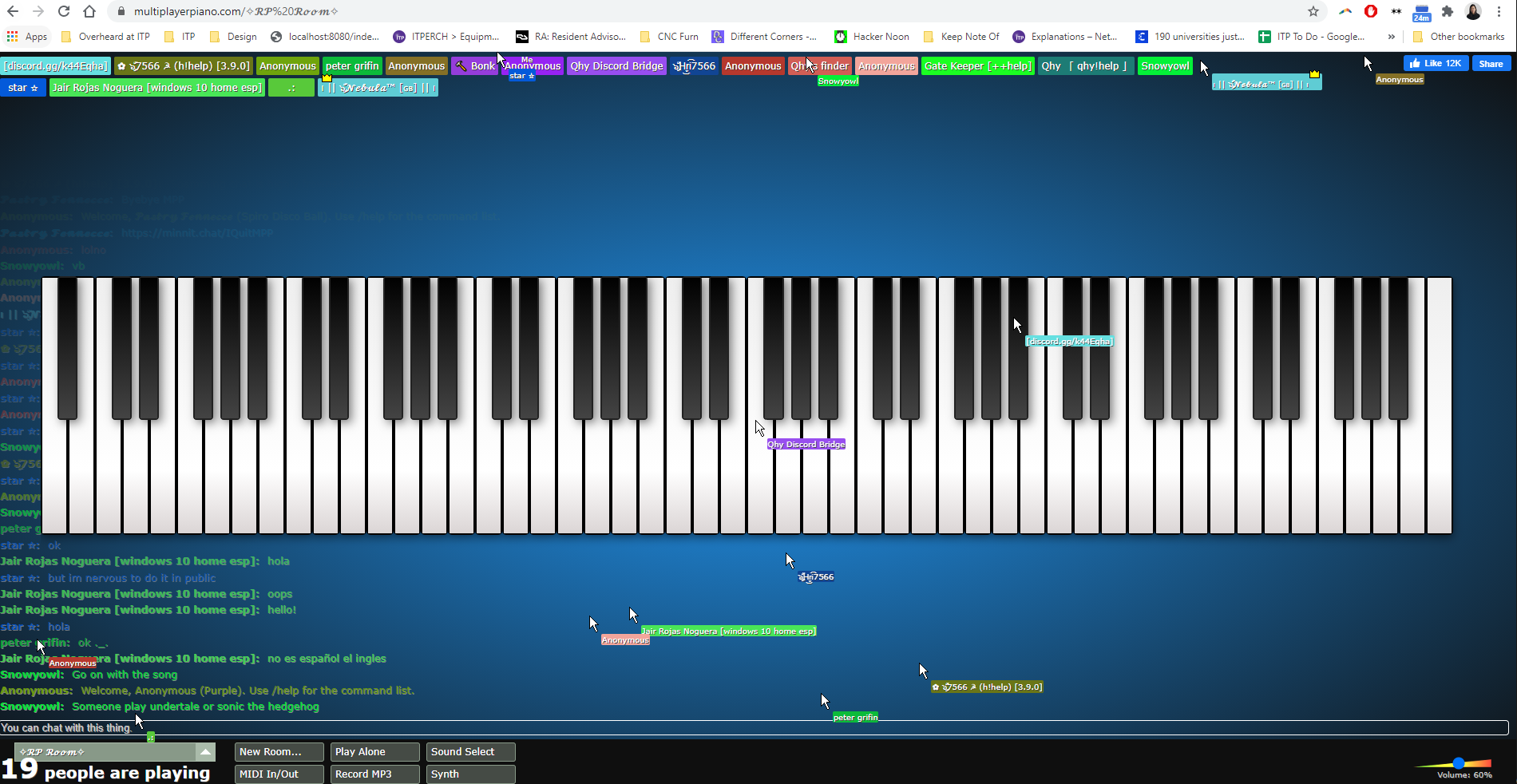
mULTIPLAYER PIANO - link

Anyone can play piano with other people in real time on this page. Features:

  • hear real time piano playing by others

  • see real time cursor movement

  • ability to chat

  • different rooms that users can create

  • ability to plug in midi keyboard

Observations:

  • Some people take it seriously and play a piece

  • others just smash keyboards

  • some rooms allow the one player to take center stage

  • other rooms are just pure chaos

  • people move their cursors around as though they are jiving with the music which I thought was interesting, given the limited expressiveness of a cursor and yet you can still communicate things with micro-movements

livepiano.PNG